![AceUp_Logo_black-1_LP.png]](https://help.aceup.com/hs-fs/hubfs/Q2%202022%20Landing%20Page%20Assets/AceUp_Logo_black-1_LP.png?height=40&name=AceUp_Logo_black-1_LP.png)
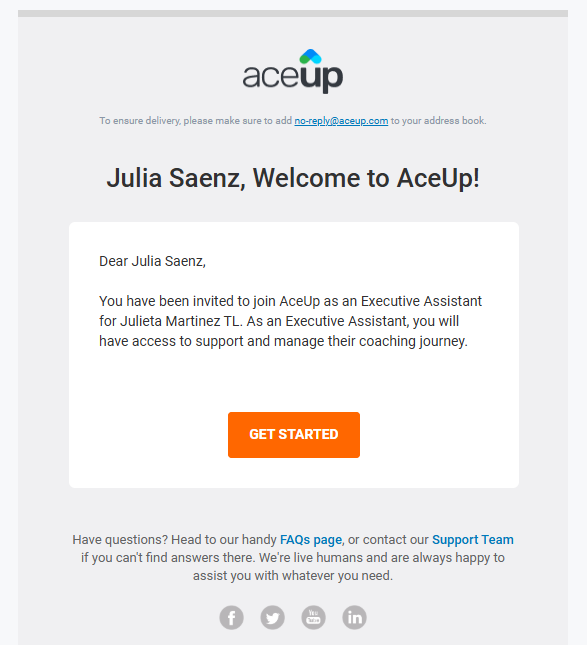
Step 1: Receive Your Invitation
You will receive an invitation email from no-reply@aceup.com containing a secure link to access the platform.
-
Click the link in the invitation.
-
Set up your password.
-
Log in using your email and newly created password.
Note: If you use Single Sign-On (SSO) to access AceUp, you will not need to set a password. Simply log in using your organization’s SSO credentials.
Step 2: Access Your Coachee’s Information
Once you log in:
-
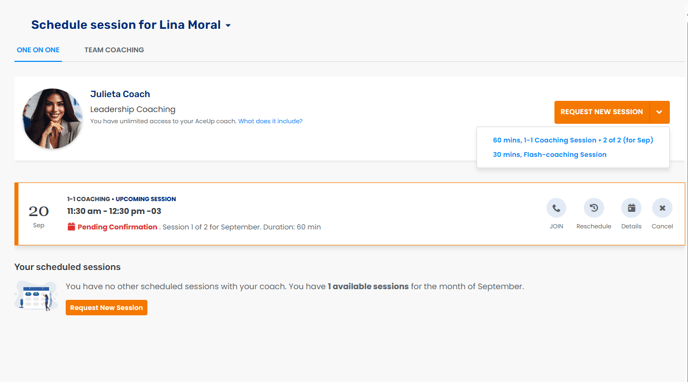
You will see your Coachee’s Coach name and their availability.
-
You can request 1:1 sessions, Flash Sessions, or Team sessions (if your Coachee is a Team Lead).
-
If you support multiple Coachees, you will be able to schedule sessions for them in both 1:1 and Team coaching contexts.
Step 3: Session Request and Confirmation
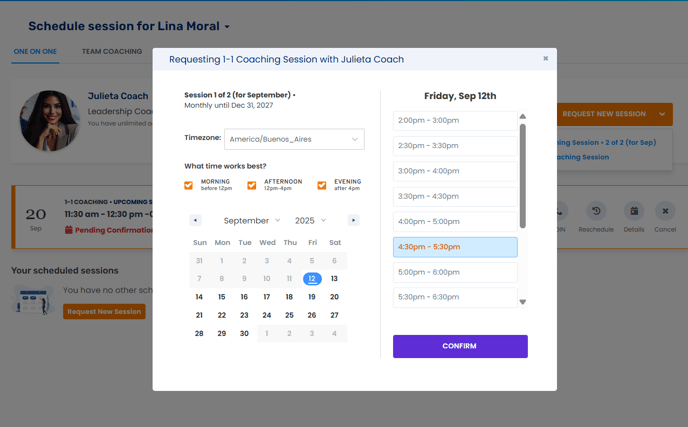
After you request a session:
-
The session will appear as pending confirmation until the Coach approves it.
-
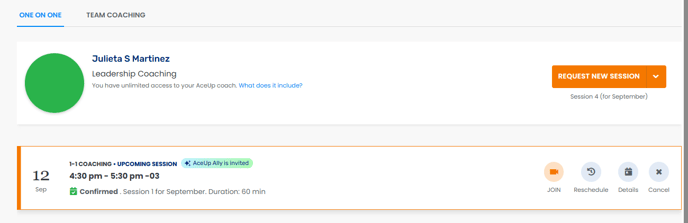
Once confirmed, you will have the option to:
-
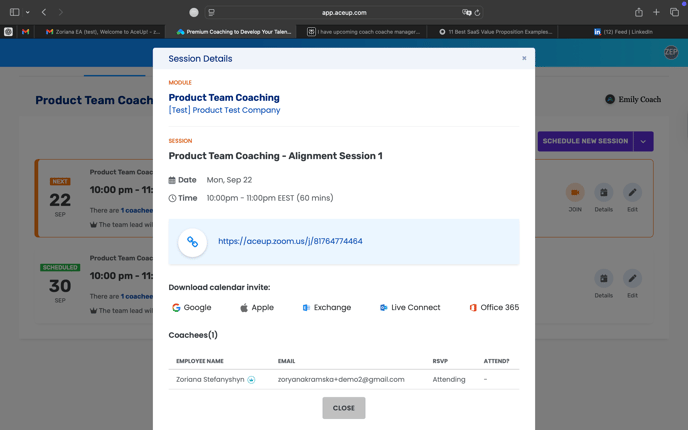
View session details
-
Download the calendar invite (only available for Coach-confirmed sessions)
-
Reschedule the session (must be done at least 24 hours before the scheduled time, and the new time must also be confirmed by the Coach)
-
Cancel the session (must be done at least 24 hours before the scheduled time)
-
-
If Ally (AI coach assistant) is invited, you will see an Ally tag on the session after confirmation.
Step 4: Notifications
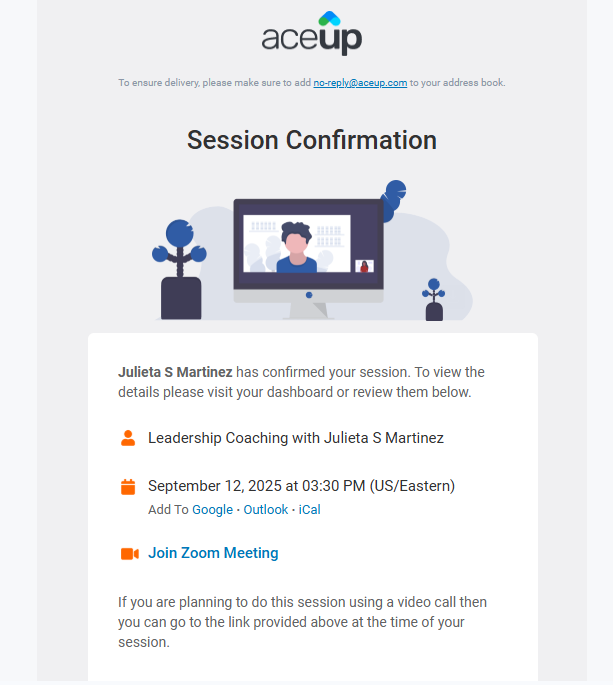
When you schedule a session, the Coachee will receive:
-
An email notification
-
A calendar invitation
Still Need Help?
Submit a support ticket using this form and a member of the AceUp Support Team will get back to you in 1-2 business days.