![AceUp_Logo_black-1_LP.png]](https://help.aceup.com/hs-fs/hubfs/Q2%202022%20Landing%20Page%20Assets/AceUp_Logo_black-1_LP.png?height=40&name=AceUp_Logo_black-1_LP.png)
Coachees
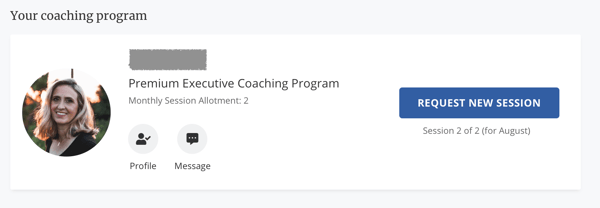
- From the Session Management section on your Coachee Dashboard, click on the messages icon on your coach's card.
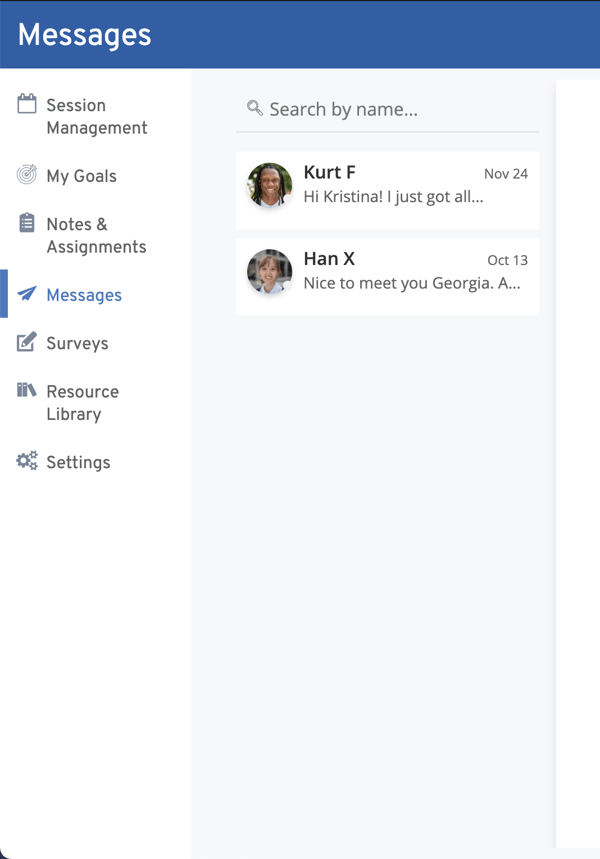
- You can also go directly to the messaging tool by clicking on Messages on the left sidebar of your Coachee Dashboard.
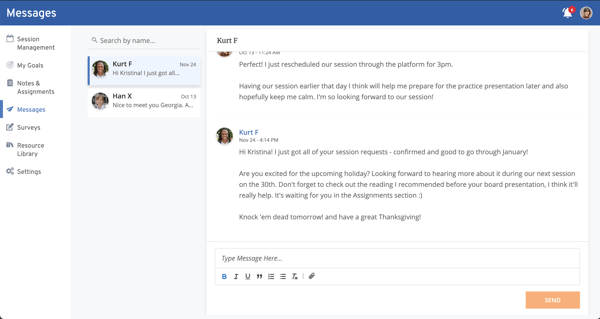
- Click on your coach's name. This will bring you to the message thread.
- Each time you receive or send a message, you or your coach will receive an email notification as a reminder to check the platform.
Coaches
- If you are sending a message to your coachee for the first time, you can contact your coachee in two ways.
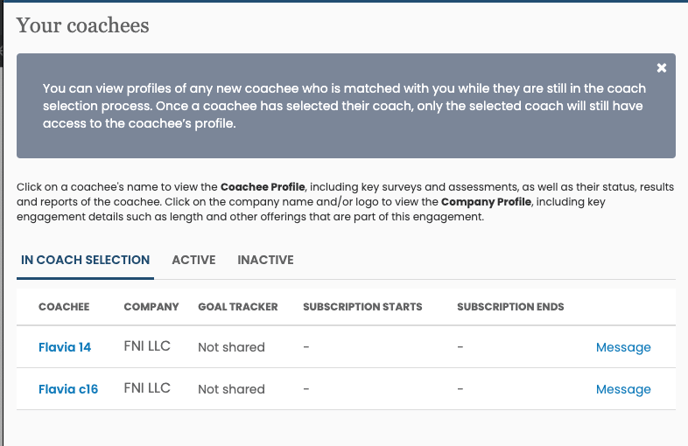
- First, if they have not scheduled a complimentary call with you, navigate to Your coachees section on your Coach Dashboard, and click Message.
-
- Second, if they have scheduled a complimentary call with you, click on the "Message" link on their session card (found in the Upcoming Sessions tab of your dashboard).
- Moving forward, you can send and respond to messages with your coachees directly from the Messages section on your Coach Dashboard.
- Sign into AceUp and go to the Messages section on your Coach Dashboard.
- Click on your coachee's name.
- You can start typing your own message and click Send.
- Second, if they have scheduled a complimentary call with you, click on the "Message" link on their session card (found in the Upcoming Sessions tab of your dashboard).
-
-
- You can also send a file, format your message, and add an attachment to your message.
-

For more information on how coaches can use the AceUp CRM, visit this article.
Still Need Help?
Submit a support ticket using this form and a member of the AceUp Support Team will get back to you in 1-2 business days.